I have now completed the postmortem video, It took far longer than I anticipated and had to be shortened to be within the 10-minute limit. It is available bellow.
I also made a few last minute changes to the game; I made the collider on the controllers ignore the balls as it was sometimes interfering with them when throwing. I also added a sound effect on the buttons to give better player feedback.
Ultimately I am very happy with how this project went and plan on continuing development over the summer, refining and expanding it. Starting with changing the echolocation effect to be nonlinear to create a more exciting feel. I may add asymmetrical multiplayer as I really wanted to do this but was outside the scope for the project.
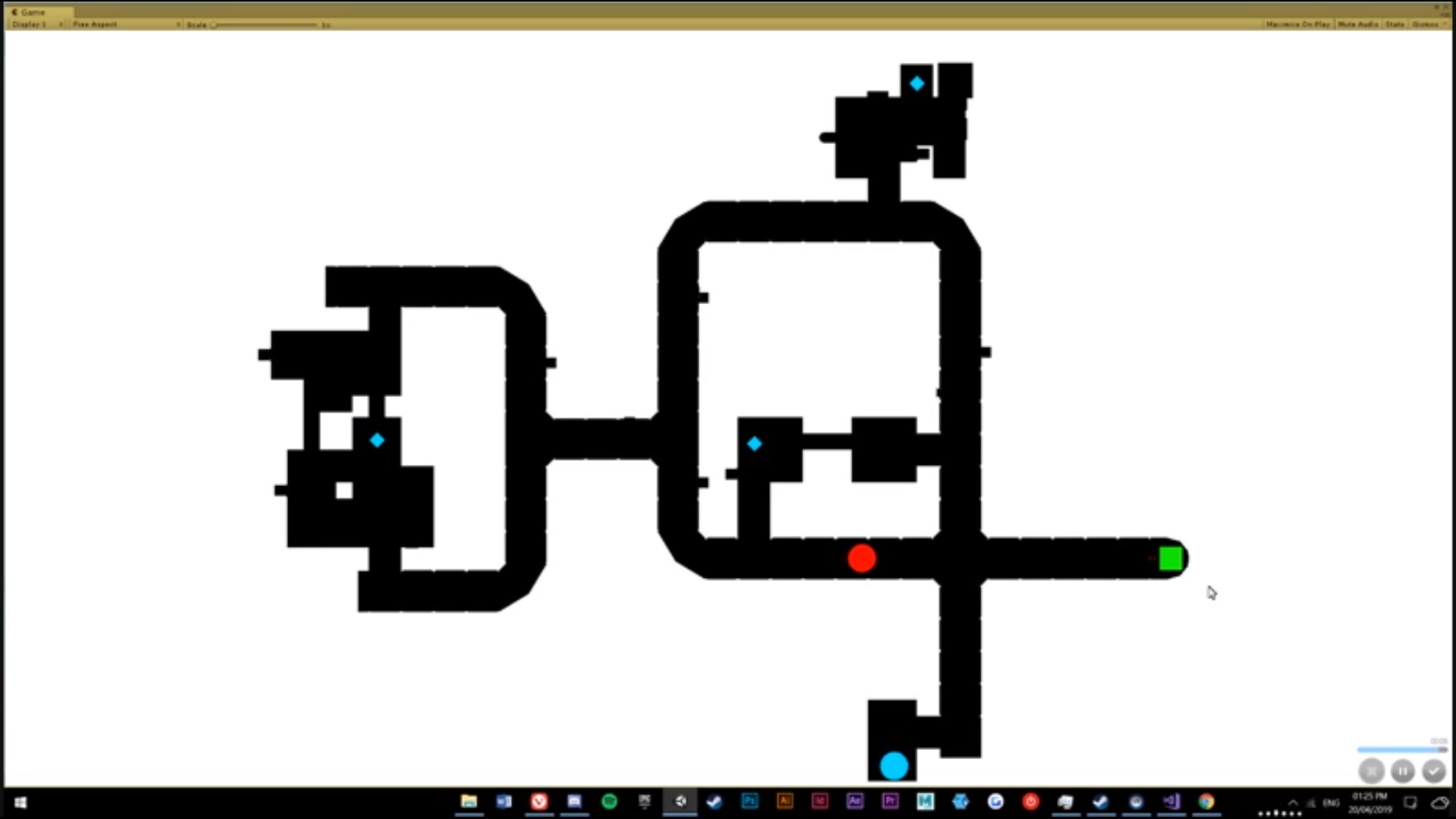
I have created a spectator map that is shown on a monitor but not in the VR headset to give viewers more information as to what is going on. This also allows them to play somewhat cooperatively as the viewer can give directions and advice to the player. This could be extended further in the future with the map only being visible for a short period of time if the player collects an item or when they push a button.
The spectator can press space to increase the map to take up the whole screen, pressing space again reduces it back to its default size.
I also increased the radius of the echolocation effects and the multiplier on the charged ball. I also adjusted the colliders on the controllers so that they do not collide with the ball objects.
I have now started writing a script for the postmortem and collecting video clips.
Having had a few people play the game I noticed they have had trouble using the buttons in the game as they require using the grip buttons on the Vive controller. I also felt this was less intuitive than simply pressing down on the buttons with the controller. Because of this I remade the buttons using unity’s physics to allow you to press them down manually.
The button functions by having a force applied to the button pushing it up into the top collider. The player can then push it down into the trigger which reverses the force pushing it into the bottom collider. The trigger activates the button’s function e.g. open door, attract enemy, spawn an echolocation pulse etc. An unexpected yet welcomed result was that due to the buttons being physics based the player can also use throwable ball objects and their head to press the buttons. I also assigned the red echolocation effect to the buttons making them more impactful when pressed and signifies danger to the player as the enemy is making its way to investigate. It also allows the player to quickly find a hiding place after pushing the button.
Improved Trigger System
In the previous system, I could tell that the player had passed through a trigger then used this to change the patrol path of the enemy to keep the player and enemy close together. However, I did not know from what side the player entered the trigger and so could not always change the enemy’s path accordingly. The new system uses 3 triggers, knowing the order the player passed through the triggers allows me to know what direction they are travelling.
New Trigger System
Other changes
I made a small area around the enemy where they can detect the player even behind them but not if the player is behind cover. This was done because whilst playing the player could run very close behind the enemy with no risk detracting from the tension of being near the enemy.
I created a trigger event that is activated when a ball lands close to a leaking pipe. This creates a large echolocation effect and attracts the enemy. This is also used to change which patrol manager the enemy if following. This should add some interest to the environment and make tense situations when the player accidentally attracts the enemy.
I then adjusted the echolocation shader in order to support a second colour. I’m using this to allow the enemy to give off red echolocation effects. This should make the enemy scarier and reveal more of the environment around it. This effect also leaks around corners and through walls giving the player a quick heads up that the enemy is nearby giving them time to hide. This should build tension as seeing this red glow will be a clear sign of danger but with the hope of escape.
I have now added a charged ball throw to the game which when the player holds in the trigger for 2 seconds the ball charges up. This is louder for the enemy and also goes much faster making it feel more powerful. This has solved the balance issue with the ball throw and the enemy as now the player can use the non charged variant to see small areas around them without as much fear of attracting the enemy whilst the charged variant can be used to distract the enemy or see larger areas of the level.
The enemy has also been changed so that it now flashes colour when moving, this sudden movement feels far tenser than the smooth continuous movement implemented before. The enemy also now shows its current state through its colour giving the player better feedback as to whether they have been seen or not.
Player Character Changes
The detection point of the player is attached to the headset, so the enemy can only see the player if it can see the players head. The point has now been moved down a bit too allow the player to peak over obstacles without being spotted. This gives the player more information when hiding, letting them be able to tell when it is clear to move and see how close they were to being spotted.
Other Game Objects
A vent object has been created which pushes the ball object when it collides with it. This allows me to create vents which the player can throw a ball into, which carries the ball into another location to distract the enemy to a farther away location.
Escape Pod
Buttons have been created which can be scattered around the level. When all buttons have been activated the escape pod door will open allowing the player to escape the level. Currently, doors open but the escape has not been implemented.
I now have both the ball throw mechanic and the enemy AI mechanics functioning. These interact by having the AI being able to hear the ball throw and investigating. However, since the ball throw is essential for the player to find their way around it can be difficult to use when near the enemy and moving in complete darkness aimlessly is not enjoyable. This dynamic is causing me some issue. I have some ideas on how to fix this issue;
Lowering the loudness multiplier of the ball throw
By changing how close using the ball throw can be in relation to the enemy would make it easier to see without attracting the attention of the AI however would make it more difficult to distract the AI if that is the player’s intention.
Multiple Ball Types
I could split the functionality of the ball throw allowing the player to choose whether they want a loud or quite ball throw. However, this could be bulky and tricky to use.
Charging Throw
I could make it so holding in the trigger will increase the force of the ball throw thus making it louder to distract the enemy whilst throwing it quickly will make it quieter so the player can see without attracting the AI.
The echolocation effect has been changed again (see video below) to just show a bright wireframe when thrown. This makes the game feel darker and more sci-fi compared to the old effect which felt too bright and took away from the tension I wish to build. The ring now adds a bright tint to the expanding neon lines, watching them travel up the environment is very satisfying. The world is still mostly dark keeping with the themes of horror which makes the contrast of the bright lines more impactful.
A basic environment has been built using modular assets created in Maya. I chose tight corridors as it is clear what way the player can go even when they can only see a small area of the environment as opposed to an open area where throwing a ball object would only reveal a small area which may just be flat ground which gives the player very little information. I also added a closet that can be opened or closed using a button so the player can hide from the enemy inside. The bottom was made an emissive blue that can always be seen, this helps the player find it in a hurry and makes it clear it is something important.
Closet Object
The new AI Patrol System is now implemented which allows me to have greater control over the order in which the AI moves between patrol points. This should allow me to create better enemy encounters where the player will have to think tactically in order to find a way around the enemy.
As of now, I have a system using a random number generator to determine a point on the map that the enemy will go to, however, this leaves me with a lack of control over the AI’s behaviour. Because of this, I have been considering the benefits of using a trigger based approach. This would work by having the enemy do specific actions when the player walks through a trigger, allowing me to have further control over AI and the experience the player will have.
I could have multiple enemies instances around the level with only one active at a time, this will ensure that the player never realizes the game is somewhat cheating. Doing this could lead to a more dynamic and less predictable enemy. Currently, if the player evades the enemy the likelihood of the player encountering the enemy again is low making the experience dull.
I have planned out how this system would function to help me keep it ordered as it may become very complicated to work on.
Having tried using Behavior bricks in order to implement the enemy AI I have realized that I can achieve the same functions using unity’s animation system. I can attach scripts to states usually used for animation in order instead of an external plugin. Having done so my AI can now patrol, chase the player, hear, and stand still when lost the player before returning to a patrol. I want to flesh out the search behaviour and make the enemy look randomly in the area it last detected the player.
I have bought a copy of Game Feel by Steve Swink which was one of the recommended readings for this module. I am hoping that this book can aid me in finding how to make my game enjoyable and have the desired effect on the player.
I have also looked into ways of creating more dynamic AI and found an addon for unity called Behavior Bricks which acts similarly to unreal’s behaviour trees which I have used in the past so should be an easier way to make good AI with all the behaviours I need e.g. Patrol, Hunt, Chase. Though this may lead to me having to redo the basic AI thus far to adapt it to this new system.


 Mitchell Gibson - Gameplay and Prototyping